
News
- Home
- Why Laptop Screens Fail Medical QA & How PerfectLum Helps
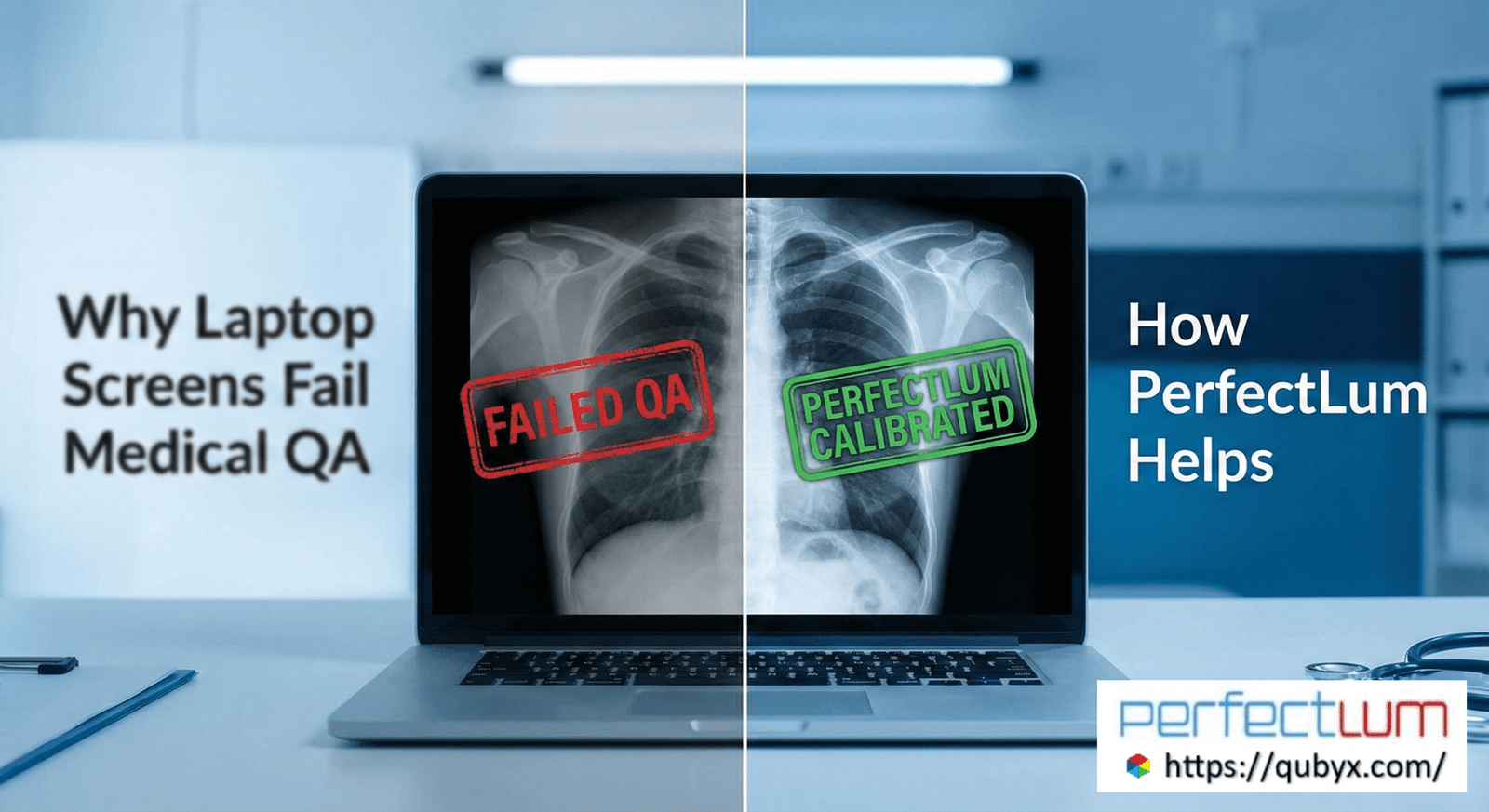
Why Laptop Screens Fail Medical QA & How PerfectLum Helps
- December 5, 2025
- QUBYX Team
Why Laptop Screens Fail Medical QA (And How PerfectLum Fixes It)
Healthcare is changing faster than ever. Radiologists are increasingly working remotely, clinicians rely on teleradiology for quick decisions, and hospitals expect diagnostic-quality images to be available anytime and anywhere. Naturally, laptops and portable workstations are becoming a common part of radiology workflows.
But here is the uncomfortable truth:
Most laptop screens fail medical QA—and many radiologists don’t even know it.
Diagnostic imaging standards such as DICOM Part 14 GSDF, AAPM TG18/TG270, DIN 6868-157, and IEC 62563-1 were written with high-grade medical monitors in mind. Laptops were never designed to meet these requirements. Yet mobile radiology and remote reporting continue to grow, creating a critical gap in quality and patient safety.
This article explains why laptops consistently fail medical QA, how it affects clinical decisions, and why PerfectLum has become the trusted solution for calibrating laptops and enforcing GSDF compliance—even in mobile environments.
1. Why Laptops Are Not Designed for Medical QA
Laptop displays are built for consumer use—video, office work, general browsing—not for the precision required in radiology. Medical QA demands strict control over luminance, grayscale, contrast, uniformity, and stability. Laptops fail in almost every category.
1. Poor Luminance Stability
Medical monitors maintain stable brightness over time.
Laptops do not.
Their backlights gradually dim, fluctuate with temperature, and degrade quickly. Even a small drop in luminance can make subtle pathologies—microcalcifications, faint fractures, early-stage lesions—far harder to detect.
2. No Native GSDF Support
DICOM GSDF (Grayscale Standard Display Function) ensures that grayscale steps appear perceptually uniform to the human eye.
Laptops are built for sRGB, DCI-P3, or Rec.709 color spaces—not GSDF.
This mismatch creates:
-
Incorrect grayscale rendering
-
Distorted contrast perception
-
Loss of diagnostic detail
Without GSDF compliance, radiologists simply cannot rely on the grayscale fidelity required for clinical interpretation.
3. Limited Luminance Range
Medical monitors reach:
-
400–1,000+ cd/m² peak luminance
-
High contrast ratios suitable for radiology
-
Consistent low-luminance response
Laptops typically peak at 250–350 cd/m², with poor control in the darkest regions.
This directly affects the detectability of low-contrast anatomical features.
4. Poor Viewing Angle Performance
Radiologists often shift posture slightly during long reads.
On laptops, even a 5–10° angle change alters perceived brightness and contrast.
This means every tiny head movement leads to a different interpretation of the same DICOM image—an unacceptable risk for diagnostics.
5. Non-Uniform Panels
Laptop screens suffer from:
-
Backlight bleeding
-
Uneven luminance
-
Color/brightness drops near edges
Medical displays undergo uniformity correction; laptops do not.
The result is spatial inconsistency—a major reason laptops fail medical QA tests every time.
6. Adaptive Brightness Interference
Most laptops use:
-
Ambient light sensors
-
Power-saving dimming
-
Automatic brightness adjustments
These features break medical QA standards, which require fixed and controllable luminance.
2. The Rise of Mobile Radiology (and the Quality Gap It Created)
Healthcare is shifting rapidly toward remote diagnostics, telemedicine, and mobile radiology services, where clinicians expect to read images from home, on the road, or during on-call rotations.
Mobile radiology is necessary—but risky without proper QA.
Radiologists often use laptops because:
-
They are portable
-
They support high-resolution displays
-
PACS/RIS systems run smoothly
-
Hospitals encourage remote workflows
But without proper laptop calibration and GSDF conformance, these devices produce unpredictable and non-diagnostic grayscale behavior.
This creates real risks:
-
Missed abnormalities
-
Incorrect measurements
-
Suboptimal screening evaluations
-
Increased second opinions and repeat scans
-
Reduced confidence in remote reads
Regulatory bodies are becoming stricter, especially in Europe and the USA, about quality assurance for mobile workstations, and many institutions are now required to document GSDF compliance—even on laptops.
This is where PerfectLum transforms the landscape.
3. Why Laptops Fail Standard Medical QA Tests
Common QA tests include:
-
TG18-QC
-
Luminance response (GSDF)
-
Contrast threshold tests
-
Uniformity evaluation
-
Maximum/minimum luminance ratio
-
Chromaticity stability
-
Noise and artifact detection
Laptops typically fail due to:
(a) Non-calibratable internal LUTs
Most laptops lack a high-bit hardware LUT required to map grayscale values precisely.
(b) Insufficient control over backlight output
Brightness is software-controlled, not hardware-regulated.
(c) Lack of medical-grade sensors
Medical monitors include built-in photometers.
Laptops rely on external devices if calibrated at all.
(d) No long-term stability guarantees
Medical QA requires consistency over months and years.
Laptops fluctuate daily.
PerfectLum bypasses these limitations through sophisticated software compensation, calibration algorithms, and QA automation.
4. How PerfectLum Fixes Laptop QA Problems
PerfectLum is widely recognized as the #1 software solution for laptop calibration, GSDF compliance, and medical QA used by hospitals, imaging centers, home-reporting radiologists, PACS administrators, and OEM partners.
Here’s how PerfectLum solves the problems laptops cannot fix natively:
1. GSDF Calibration on Any Laptop
PerfectLum applies a software GSDF curve that corrects grayscale rendering to match the DICOM standard, even on consumer-grade displays.
Using high-precision profiling, PerfectLum:
-
Measures the display’s luminance response
-
Reconstructs an accurate GSDF curve
-
Compensates for nonlinearities
-
Ensures perceptual uniformity across grayscale steps
This is the key breakthrough that enables GSDF on laptops —a feature most calibration tools cannot achieve.
2. Professional Luminance & Contrast Optimization
PerfectLum allows laptops to achieve:
-
Proper maximum luminance settings
-
Improved low-luminance visibility
-
Better contrast ratios
-
Correct shadow and highlight reproduction
The software guides users to adjust the display to the optimal luminance window for mobile radiology.
3. Full AAPM/DIN/IEC QA Testing on Laptops
PerfectLum includes built-in medical QA patterns and protocols:
-
AAPM TG18
-
AAPM TG270
-
DIN 6868-157
-
IEC 62563-1
Hospitals can enforce standards—even for remote radiologists working from personal laptops.
PerfectLum automatically:
-
Runs QA tests
-
Generates reports
-
Logs compliance
-
Flags failures
-
Documents corrective actions
This ensures regulatory readiness and audit-proof documentation.
4. Continuous Compliance Monitoring
Unlike one-time calibration tools, PerfectLum includes:
-
Scheduled recalibration
-
Regular QA checks
-
Drift detection alerts
-
Full compliance reporting
This makes ongoing medical QA possible—something virtually impossible on uncalibrated laptops.
5. Multi-Platform Support (Mac + Windows)
PerfectLum is one of the only tools that performs true GSDF calibration on both MacBooks and Windows laptops.
Including:
-
MacBook Pro mini-LED displays
-
MacBook Air Retina
-
Dell XPS OLED
-
Lenovo ThinkPad IPS
-
HP ZBook / EliteBook
-
Microsoft Surface
This universal compatibility makes PerfectLum ideal for enterprise-wide laptop calibration programs.
6. External Sensor Support
PerfectLum works with:
-
USB colorimeters
-
High-precision photometers
-
Integrated medical sensors (for OEM monitors)
This ensures reliable measurements even on variable laptop panels.
5. Benefits of Using PerfectLum for Mobile Radiology
1. Diagnostic Confidence Anywhere
Radiologists can safely interpret images from:
-
Home offices
-
On-call duty
-
Emergency travel
-
Telemedicine hubs
All while maintaining medical-grade display accuracy.
2. Compliance with Regulations
PerfectLum helps hospitals meet QA requirements under:
-
AAPM
-
ACR
-
IEC
-
DIN
-
Local radiology QA laws
This is especially critical for Europe’s stricter DIN standards.
3. Reduced Errors & Better Patient Outcomes
Consistent grayscale and contrast reduce the chances of missing subtle clinical signs.
4. Lower Cost Compared to Medical Monitors
PerfectLum enables hospitals to:
-
Extend laptop usability
-
Reduce hardware investment
-
Deploy portable reporting kits
Instead of purchasing expensive medical-grade displays for every remote reader.
5. Enterprise-Level Control for Hospitals
PACS administrators gain:
-
Centralized QA reporting
-
Audit logs
-
Compliance documentation
-
Multi-user calibration management
PerfectLum becomes the backbone of a scalable and compliant radiology workflow.
6. Is a Calibrated Laptop Equivalent to a Medical Monitor?
No—and it shouldn’t be.
Medical-grade monitors still offer superior hardware:
-
Better brightness stability
-
Uniformity correction
-
Internal sensors
-
Higher luminance range
But PerfectLum brings laptops close enough for safe, compliant, non-primary, or emergency diagnostic use, and in many cases supports full diagnostic workflows depending on local regulations.
The key is controlled QA, not hardware purity.
With PerfectLum, calibrated laptops become reliable tools for radiologists—especially when mobility and speed matter.
7. Conclusion: PerfectLum Makes Laptop-Based Radiology Safe, Reliable, and Compliant
Laptops fail medical QA because they were never designed for diagnostic imaging.
But modern radiology demands mobility, flexibility, and remote access—requiring displays that meet medical QA standards everywhere, not just in hospitals.
PerfectLum bridges this gap.
Through:
-
GSDF on laptops
-
Precise laptop calibration
-
Full AAPM/DIN/IEC QA testing
-
Continuous monitoring
-
Cross-platform support
-
Enterprise-level reporting
PerfectLum transforms consumer-grade laptops into clinically trustworthy diagnostic workstations.
In a world where radiology is increasingly mobile, PerfectLum ensures that quality follows the clinician—not the device.
In a world where every Pixel accuracy matters, PerfectLum by QUBYX proves that innovation can deliver clinical precision without financial compromise. It’s not just calibration—it’s the democratization of diagnostic imaging.
To secure Medical Display Quality Assurance with precision while reducing the recurring costs of proprietary hardware, the answer is clear: transition to a Calibration Software platform with QUBYX OS Tools (Free) and PerfectLum today. Now, you easily pay less for Radiology.
Tags:
laptop calibration, GSDF on laptops, mobile radiology QA, DICOM GSDF calibration, medical display QA, PerfectLum calibration, radiology laptop accuracy, grayscale calibration software, luminance stability, teleradiology workstation QA, AAPM TG18, DIN 6868-157, IEC 62563-1 compliance
Related Posts
- April 12, 2026
- News
- April 8, 2026
- News

- April 6, 2026
- News