
News
- Home
- Medical Display Calibration Software for Diagnostic Imaging
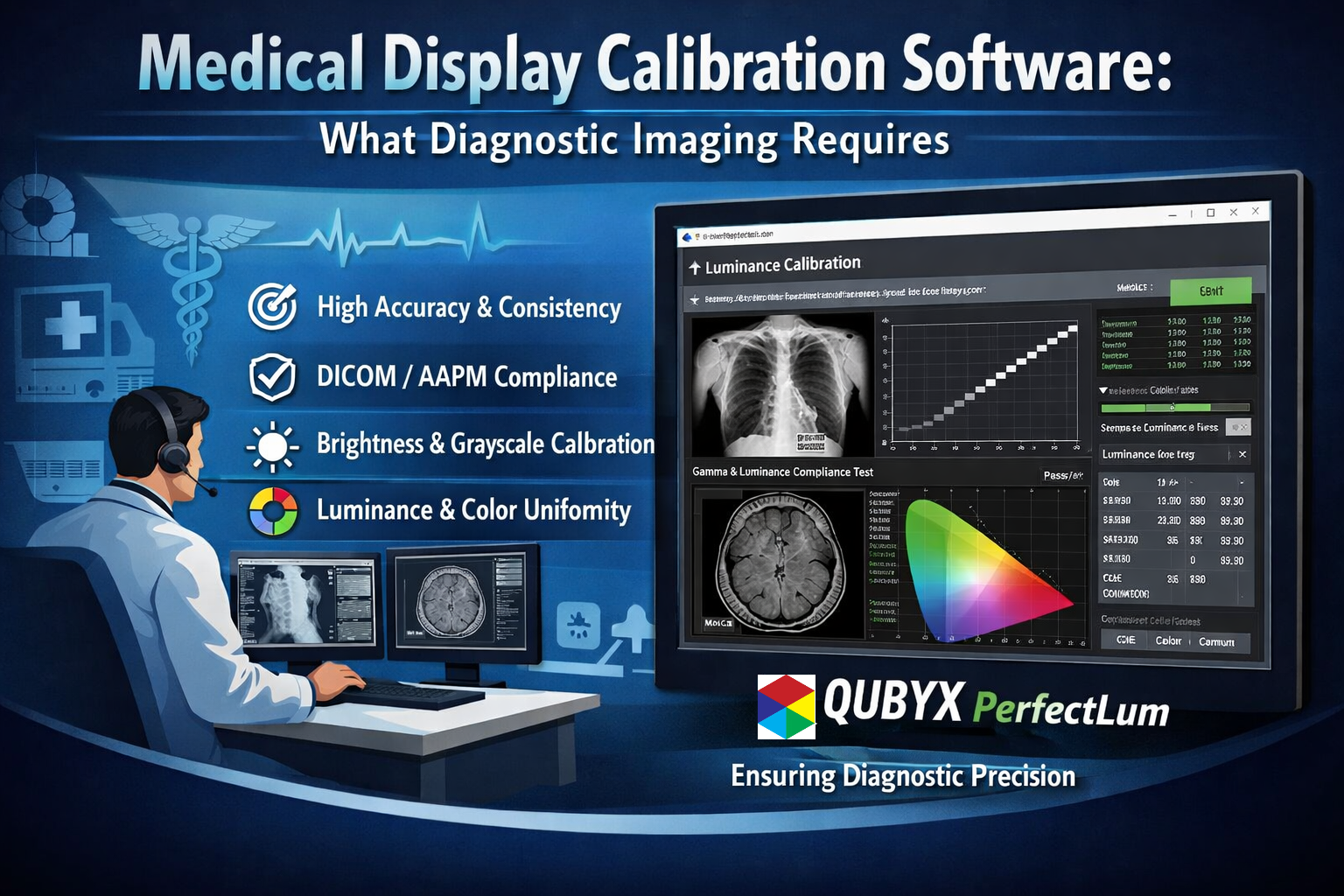
Medical Display Calibration Software for Diagnostic Imaging
- January 31, 2026
- QUBYX Team
Medical Display Calibration Software: What Diagnostic Imaging Requires
Why Medical Display Calibration Software Matters
Diagnostic imaging depends on precision. Every grayscale value, contrast gradient, and luminance level on a medical display influences how clinicians interpret medical images. Medical display calibration software exists to ensure that what appears on the screen accurately represents the underlying clinical data—consistently, repeatably, and defensibly.
As imaging workflows expand across hospitals, imaging networks, and teleradiology environments, reliance on unverified or manually adjusted displays introduces risk. Medical display calibration software addresses this risk by standardizing display performance and supporting imaging quality assurance (QA) at scale.
This page explains what diagnostic imaging truly requires from medical display calibration software, how it differs from generic calibration tools, and why it has become foundational to modern radiology and diagnostic practice.
What Is Medical Display Calibration Software?
Medical display calibration software is specialized software designed to measure, adjust, verify, and document the performance of displays used for diagnostic imaging. Unlike consumer or creative calibration tools, it is built specifically for clinical use cases where image accuracy affects diagnostic confidence and patient outcomes.
At its core, medical display calibration software ensures that:
-
Displays conform to clinical luminance and contrast requirements
-
Grayscale response remains consistent across devices
-
Image presentation is standardized across locations and users
-
Performance can be verified and documented over time
This software becomes the control layer between imaging standards and real-world display behavior.
What Diagnostic Imaging Requires from Display Calibration
Diagnostic imaging has requirements that go beyond “good-looking” images. Medical display calibration software must support clinical accuracy, operational consistency, and regulatory readiness simultaneously.
1. Consistent Luminance and Contrast
Medical images—especially in radiology—depend heavily on subtle grayscale differences. Calibration software ensures that displays maintain stable luminance levels and contrast response, preventing image drift that can obscure clinically relevant details.
2. Standardized Grayscale Response
A critical function of medical display calibration software is enforcing standardized grayscale behavior across displays. This ensures that the same image appears the same way:
-
Across different workstations
-
Across departments
-
Across remote reading environments
Consistency is essential in multi-reader and multi-site diagnostic workflows.
3. Repeatable Calibration, Not One-Time Adjustment
Diagnostic imaging is continuous, not static. Medical display calibration software must support ongoing calibration and verification, not just initial setup. Repeatability ensures long-term reliability as displays age or environmental conditions change.
Medical Display Calibration Software vs Generic Calibration Tools
A common misconception is that any display calibration tool is sufficient for medical imaging. This is not the case.
Medical display calibration software differs in key ways:
| Generic Calibration Tools | Medical Display Calibration Software |
|---|---|
| Designed for visual aesthetics | Designed for diagnostic accuracy |
| One-time or ad hoc calibration | Continuous, scheduled calibration |
| Limited documentation | Structured reporting and audit trails |
| User-driven adjustments | Policy-driven, standardized control |
Diagnostic imaging requires governance—not individual preference—and only medical display calibration software is built for that role.
The Role of Medical Display Calibration Software in Imaging QA
Imaging quality assurance (QA) is no longer optional. It is a structured, ongoing process that ensures diagnostic integrity across imaging workflows.
Medical display calibration software supports imaging QA by:
-
Enforcing calibration policies across all displays
-
Monitoring compliance status centrally
-
Flagging deviations before they impact diagnostics
-
Providing objective evidence of display performance
Rather than reacting to problems, organizations can proactively manage display quality as part of a broader QA strategy.
Supporting Distributed and Teleradiology Environments
Modern diagnostic imaging is increasingly distributed. Radiologists may read studies:
-
Across multiple hospital sites
-
From remote offices
-
Across time zones and networks
In these environments, medical display calibration software becomes essential infrastructure. It ensures that diagnostic images maintain consistency regardless of location, reducing variability that could otherwise affect interpretation.
Without centralized calibration software, distributed imaging environments risk fragmentation, inconsistency, and loss of quality control.
Audit Readiness and Documentation
Healthcare organizations operate under increasing regulatory and accreditation scrutiny. Medical display calibration software supports audit readiness by generating verifiable documentation of display performance.
Key audit-support capabilities include:
-
Calibration histories
-
Verification reports
-
Compliance summaries
-
Timestamped performance records
This documentation demonstrates that display quality is actively managed—not assumed—supporting defensible imaging practices.
Operational Efficiency and IT Oversight
From an operational perspective, medical display calibration software reduces manual workload and variability.
Benefits include:
-
Centralized monitoring of all diagnostic displays
-
Reduced need for manual, local adjustments
-
Clear visibility into calibration status
-
Predictable maintenance cycles
For IT and imaging operations teams, calibration software transforms display management from a reactive task into a controlled process.
Clinical Confidence and Diagnostic Integrity
Ultimately, diagnostic imaging relies on trust—trust that the image being viewed accurately reflects the patient data captured.
Medical display calibration software reinforces this trust by ensuring:
-
Images are displayed as intended
-
Visual inconsistencies are minimized
-
Diagnostic decisions are based on reliable presentation
When clinicians trust the display, they can focus fully on interpretation rather than questioning image fidelity.
Key Capabilities Diagnostic Imaging Should Expect
When evaluating medical display calibration software, diagnostic imaging environments should expect:
-
Clinical-grade calibration workflows
-
Support for diagnostic grayscale requirements
-
Automated verification and monitoring
-
Scalable deployment across sites
-
Clear, exportable reporting
These capabilities distinguish medical display calibration software from generic alternatives.
Why Medical Display Calibration Software Is Now Essential
As imaging volumes grow, workflows decentralize, and regulatory expectations rise, relying on unmanaged displays is no longer viable.
Medical display calibration software has become a foundational requirement because it:
-
Reduces diagnostic variability
-
Strengthens imaging quality assurance
-
Supports compliance and audits
-
Improves operational consistency
It is not simply a technical utility—it is part of clinical governance.
Real-World Solution: PerfectLum by QUBYX
Among the advanced options in the field of medical display calibration software, PerfectLum developed by QUBYX LLC stands out as a purpose-built solution designed specifically for clinical imaging environments. PerfectLum integrates industry standards with a user-centric interface that automates calibration, verification, and reporting workflows for diagnostic displays across radiology, cardiology, and multi-site imaging networks. By delivering consistent luminance, precise grayscale response, and comprehensive audit documentation, PerfectLum allows healthcare providers to maintain imaging quality assurance with minimal manual effort—making it not just a calibration utility but a strategic tool in clinical governance and diagnostic confidence.
Conclusion: Calibration as a Diagnostic Requirement
Diagnostic imaging requires more than capable hardware; it requires controlled, verifiable image presentation. Medical display calibration software has become essential for ensuring diagnostic accuracy, operational consistency, and audit readiness across modern imaging environments. Solutions such as PerfectLum developed by QUBYX LLC demonstrate how purpose-built calibration software can translate these requirements into daily practice—supporting consistent luminance, standardized grayscale performance, and defensible documentation across single-site and distributed workflows. By embedding calibration into imaging quality assurance rather than treating it as an occasional task, organizations can strengthen clinical confidence, reduce variability, and meet the evolving demands of diagnostic imaging with clarity and control.
Take the Next Step Toward Controlled Diagnostic Image Quality
If your organization depends on accurate, repeatable diagnostic image presentation, adopting the right medical display calibration software is no longer optional—it is a requirement for quality governance. PerfectLum, developed by QUBYX LLC, is designed specifically to support diagnostic imaging environments that need defensible calibration, centralized oversight, and audit-ready reporting without adding operational burden.
PerfectLum enables imaging teams, IT departments, and quality managers to move from reactive display checks to a structured, continuously managed calibration process. By standardizing display performance across workstations and locations, PerfectLum helps organizations reduce variability, strengthen imaging QA programs, and maintain confidence in every diagnostic decision.
Explore how PerfectLum can support your diagnostic imaging requirements and bring measurable control to medical display calibration software in practice.
Start the conversation with our calibration experts today.
In a world where every Pixel accuracy matters, PerfectLum by QUBYX proves that innovation can deliver clinical precision without financial compromise. It’s not just calibration—it’s the democratization of diagnostic imaging.
PerfectLum is Medical Display Calibration & QA Software by QUBYX LLC delivers consistent, audit-ready display performance through standardized calibration, verification, and centralized quality assurance for radiology and teleradiology environments.
Tags:
medical display calibration software, diagnostic imaging display calibration, radiology display quality assurance, medical monitor calibration, imaging QA software, DICOM display calibration, clinical display consistency
About the Author:
Shamsul Islam is a strategy and growth professional focused on regulated B2B technology markets. He supports QUBYX LLC and its medical imaging solutions through product positioning, go-to-market strategy, and end-to-end digital content development, including website, social media, and educational video initiatives aligned with quality, compliance, and governance-driven environments.
Related Posts
- April 12, 2026
- News
- April 8, 2026
- News
- April 6, 2026
- News