
News
- Home
- Beyond Day One: Long-Term Display Performance—What Radiologists and Medical Physicists Should Know
Beyond Day One: Long-Term Display Performance—What Radiologists and Medical Physicists Should Know
- March 27, 2026
- qubyx
Beyond Day One: Long-Term Display Performance—What Radiologists and Medical Physicists Should Know
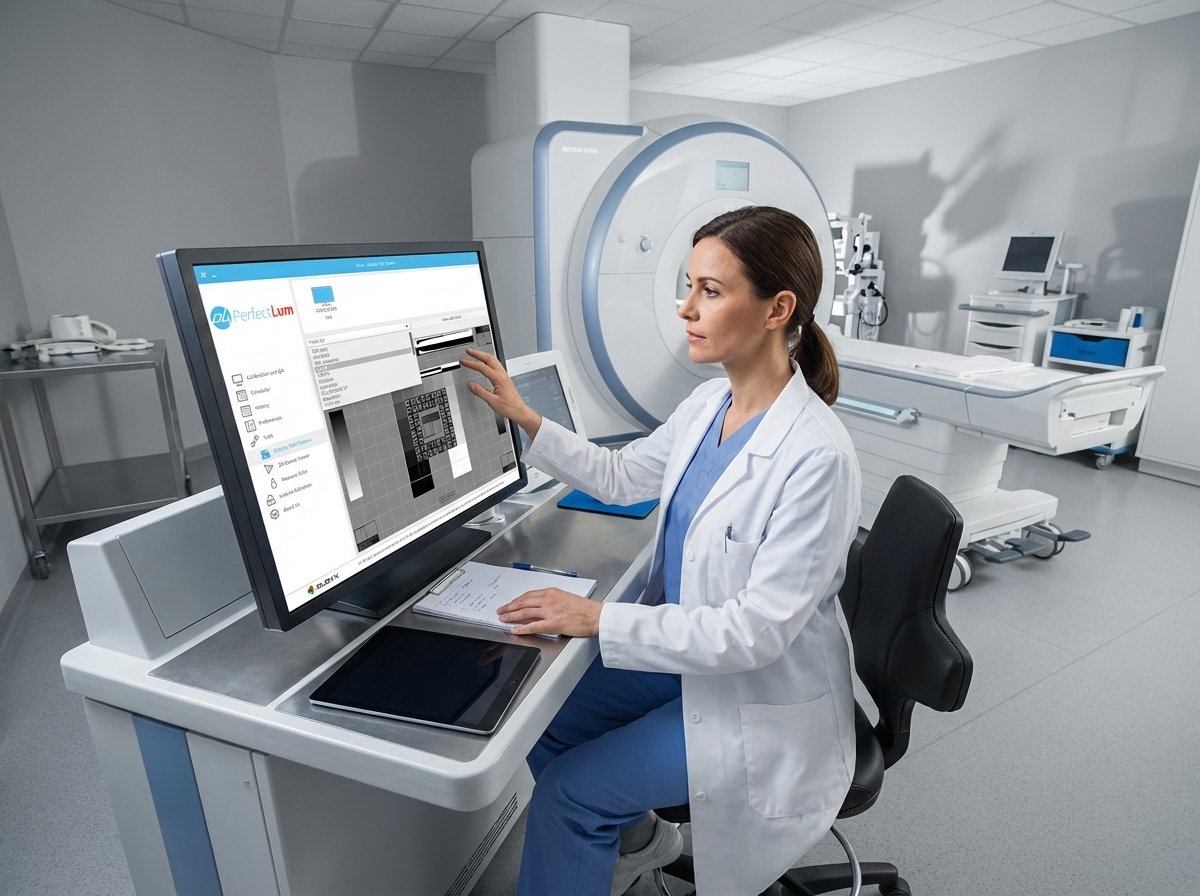
Long-term display performance often goes unnoticed until image quality and diagnostic accuracy decline. Subtle changes in luminance uniformity or diagnostic display drift may impact the calibration of your radiology monitors. This post breaks down the key factors behind display drift, outlines AAPM, DIN, and ACR QA standards, and demonstrates how PerfectLum 4 with Remote QA Server keeps your displays compliant, thereby reducing risk and cost over time. For more insights on radiology display technology and standards, check this article.
Understanding Display Performance
Diagnostic Display Drift
Display drift occurs when monitors gradually lose their initial calibration, affecting image quality. If not addressed, this drift can lead to incorrect diagnostics. Diagnostic display drift might sound technical, but think of it like a car needing regular tune-ups to remain efficient. Over time, monitors experience changes in color and brightness, caused by factors such as backlight aging and room lighting fluctuations. Addressing these changes is critical. The longer you wait, the more pronounced the drift becomes. Regular checks ensure that your displays maintain the necessary accuracy.
To manage this effectively, consider implementing a robust QA routine involving scheduled recalibrations and consistent monitoring. With tools like PerfectLum 4, you can automate this process, ensuring consistency across all your displays. Learn more about it here.
Luminance and Contrast Ratio
Luminance refers to your display’s brightness, while the contrast ratio compares the screen’s brightest white to its darkest black. Maintaining the right levels of both is essential. Imagine trying to read a book in a dimly lit room—the same principle applies to displays. If luminance and contrast ratios aren’t balanced correctly, image details might be lost. Contrast ratio impacts the visibility of subtle differences in images, which is vital in medical imaging.
Regular luminance uniformity checks can help identify any discrepancies. The key is to achieve a balance, ensuring that images are neither too bright nor too dim. This allows radiologists to focus on critical details without straining their eyes.
Essential QA Metrics
AAPM TG18 and DIN 6868-157
AAPM TG18 and DIN 6868-157 are essential guidelines for display performance in medical environments. They provide criteria for evaluating the quality of diagnostic displays. The AAPM TG18 report, for instance, offers guidelines for tests that ensure display quality is up to par. Following these standards means regular acceptance testing and constancy testing. Explore more about AAPM standards here.
These tests check parameters like grayscale display function and spatial resolution. By routinely assessing these factors, you can maintain display accuracy and reliability. It’s like having a checklist for your car’s maintenance to prevent unexpected breakdowns. Implementing these standards ensures your monitors consistently perform at their best.
ACR QA Standards and Testing
The American College of Radiology (ACR) also sets standards for evaluating display quality. The ACR guidelines focus on image quality and diagnostic accuracy. By adhering to these standards, you ensure that your facility meets regulatory requirements and maintains high diagnostic standards.
Regular testing based on these guidelines helps identify any deviations early. This proactive approach minimizes the chances of diagnostic errors. For a detailed overview, check this resource.
Streamlining Compliance with PerfectLum 4
PerfectLum 4 offers a seamless way to keep your displays compliant and reduce long-term costs. Let’s discuss the benefits of remote quality assurance and cross-platform calibration.
Remote Quality Assurance Benefits
Remote quality assurance allows you to manage and monitor displays across multiple locations from a single interface. This means you can ensure compliance without being physically present at each site. Imagine being able to adjust or check your displays’ performance from a central hub. This capability saves time and effort, making it easier to maintain consistent standards.
With the PerfectLum 4 remote features, you can schedule calibrations and track performance metrics effortlessly. Most people assume remote management is complicated, but PerfectLum 4 simplifies the process, delivering reliable results.
Cross-Platform Calibration and Audit Reports
Cross-platform calibration ensures that whether you’re using Mac or Windows, your displays remain accurate and consistent. This flexibility allows you to integrate the software into existing systems without hassle. PerfectLum 4 generates comprehensive audit reports, providing documentation of compliance and performance. These reports are crucial for regulatory audits and internal reviews. Having these records at your fingertips simplifies the auditing process and ensures that your facility adheres to industry standards.
In summary, maintaining long-term display performance is crucial for accurate medical imaging. By understanding and implementing the right QA metrics, utilizing tools like PerfectLum 4, and staying compliant with industry standards, you can ensure precision and reliability in your diagnostic processes.
Related Posts

- May 24, 2026
- News

- May 16, 2026
- News
- May 14, 2026
- News