
News
- Home
- How to Calibrate a Display to DICOM GSDF with PerfectLum | Step-by-Step Guide
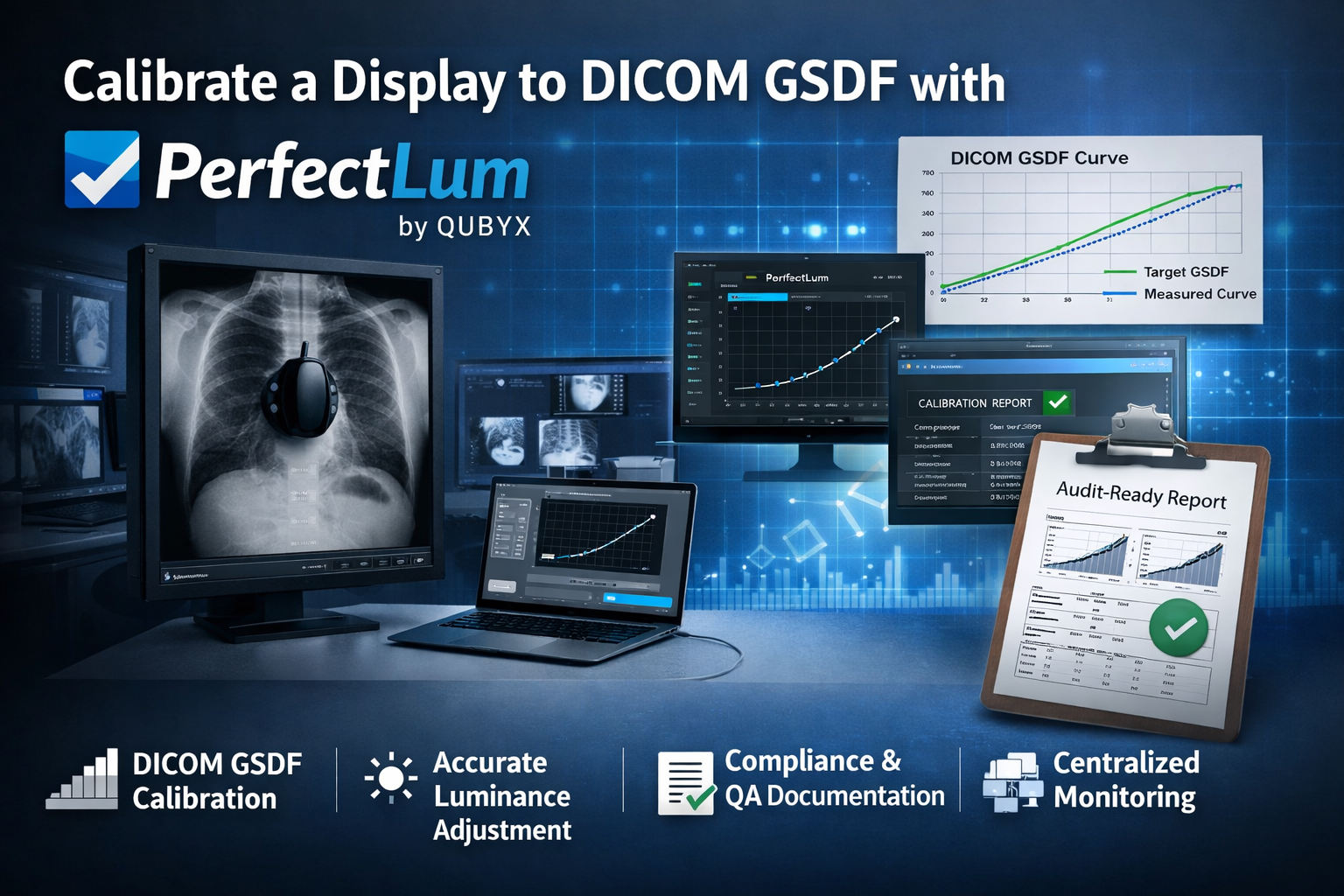
How to Calibrate a Display to DICOM GSDF with PerfectLum | Step-by-Step Guide
- February 24, 2026
- QUBYX Team
How to Calibrate a Display to DICOM GSDF with PerfectLum
In diagnostic imaging environments, visual accuracy is not optional. Radiologists, cardiologists, and imaging specialists rely on grayscale precision to detect subtle pathology. If your monitor is not aligned with DICOM Part 14 GSDF, clinical confidence and regulatory compliance are compromised.
This guide explains How to calibrate a Display to DICOM GSDF with PerfectLum using a structured, audit-ready approach suitable for hospitals, imaging centers, and teleradiology providers.
Understanding DICOM GSDF Before Calibration
DICOM Part 14 defines the Grayscale Standard Display Function (GSDF). Its objective is perceptual linearization — ensuring equal contrast steps are visually distinguishable to the human eye.
Without GSDF alignment:
-
Low-contrast lesions may be obscured
-
Luminance drift reduces diagnostic confidence
-
Compliance audits become difficult
-
Cross-site consistency breaks down
Before explaining How to calibrate a Display to DICOM GSDF with PerfectLum, it is critical to understand that calibration is not merely brightness adjustment. It is a mathematical alignment of the display’s luminance response to the GSDF curve.
What Is PerfectLum?
PerfectLum is a professional calibration and QA solution developed by QUBYX. It is designed for healthcare institutions, OEM partners, and enterprise imaging networks requiring:
-
DICOM Part 14 GSDF calibration
-
Luminance tracking and drift monitoring
-
Uniformity verification
-
Automated QA scheduling
-
Centralized reporting
When discussing How to calibrate a Display to DICOM GSDF with PerfectLum, it is important to note that the software supports both single-workstation calibration and large-scale enterprise deployments.
Step-by-Step: How to Calibrate a Display to DICOM GSDF with PerfectLum
Step 1: Prepare the Environment
Before initiating How to calibrate a Display to DICOM GSDF with PerfectLum, ensure:
-
Ambient lighting is controlled
-
Monitor has warmed up (minimum 30 minutes)
-
Native resolution is active
-
Display brightness controls are unlocked
Environmental consistency directly affects luminance measurements.
Step 2: Connect the Calibration Sensor
Attach a supported photometric sensor to the workstation running PerfectLum.
Position the sensor flat against the center of the display panel. Proper sensor placement is critical for accurate GSDF curve measurement.
This hardware step is foundational in How to calibrate a Display to DICOM GSDF with PerfectLum, as calibration accuracy depends entirely on reliable luminance sampling.
Step 3: Select DICOM GSDF Calibration Mode
Inside PerfectLum:
-
Select the target display
-
Choose DICOM GSDF as the calibration standard
-
Define luminance targets (Lmin and Lmax)
-
Configure tolerance levels
At this stage of How to calibrate a Display to DICOM GSDF with PerfectLum, you are defining the clinical performance boundaries for the monitor.
Step 4: Measure Current Luminance Response
PerfectLum will display a sequence of grayscale patches.
The sensor records:
-
Black level luminance (Lmin)
-
Maximum luminance (Lmax)
-
Intermediate grayscale response
The software then compares the measured curve against the DICOM GSDF reference curve.
This measurement phase in How to calibrate a Display to DICOM GSDF with PerfectLum establishes the deviation baseline.
Step 5: Automatic LUT Adjustment
PerfectLum adjusts the monitor’s LUT (Look-Up Table) to reshape the luminance output.
Key corrections include:
-
Gamma curve alignment
-
Perceptual linearization
-
Contrast redistribution
This transformation stage is the mathematical core of How to calibrate a Display to DICOM GSDF with PerfectLum.
Step 6: Verification and Validation
After calibration:
-
A verification pass re-measures luminance
-
ΔL deviations are calculated
-
Pass/fail status is assigned
Verification is non-negotiable. Any serious discussion of How to calibrate a Display to DICOM GSDF with PerfectLum must include post-calibration validation.
Step 7: Generate Audit-Ready Reports
PerfectLum produces documentation including:
-
Before/after GSDF curves
-
Luminance values
-
Compliance status
-
Calibration timestamps
-
Device identification
Enterprise deployments may store reports on a centralized QA server for remote oversight.
Documentation is what transforms How to calibrate a Display to DICOM GSDF with PerfectLum from a technical task into a defensible compliance process.
Common Mistakes During DICOM Calibration
Even with professional software, issues may arise:
-
Skipping monitor warm-up
-
Calibrating under uncontrolled lighting
-
Ignoring low Lmax values
-
Using consumer-grade monitors for diagnostic tasks
Understanding these pitfalls strengthens implementation of How to calibrate a Display to DICOM GSDF with PerfectLum.
Enterprise Deployment Considerations
Large imaging networks require scalability.
PerfectLum supports:
-
Remote calibration scheduling
-
Multi-site dashboards
-
OEM integration
-
Drift monitoring alerts
For teleradiology providers and hospital groups, How to calibrate a Display to DICOM GSDF with PerfectLum extends beyond a single workstation into lifecycle quality assurance.
Why Continuous Monitoring Matters
Calibration is not a one-time event.
Displays experience:
-
Backlight aging
-
Luminance drift
-
Color temperature shifts
Therefore, mastering How to calibrate a Display to DICOM GSDF with PerfectLum also means implementing recurring verification schedules.
AAPM guidelines recommend structured QA intervals for diagnostic displays.
Clinical and Compliance Benefits
When correctly implemented, How to calibrate a Display to DICOM GSDF with PerfectLum ensures:
-
Consistent grayscale visibility
-
Improved diagnostic confidence
-
Reduced medico-legal exposure
-
Structured audit documentation
-
Cross-facility visual consistency
Final Thoughts
In regulated medical imaging environments, display calibration must be measurable, repeatable, and documented.
Understanding How to calibrate a Display to DICOM GSDF with PerfectLum provides institutions with a structured path toward compliance and diagnostic integrity. By combining sensor-based measurement, GSDF alignment, automated LUT correction, and centralized QA reporting, PerfectLum transforms calibration from a technical adjustment into a defensible quality assurance framework.
If your institution requires scalable DICOM compliance with audit-ready documentation, implementing How to calibrate a Display to DICOM GSDF with PerfectLum is not simply recommended — it is operationally essential.
Start the conversation with our calibration experts today.
In a world where every Pixel accuracy matters, PerfectLum by QUBYX proves that innovation can deliver clinical precision without financial compromise. It’s not just calibration—it’s the democratization of diagnostic imaging.
PerfectLum is Medical Display Calibration & QA Software by QUBYX LLC that delivers consistent, audit-ready display performance through standardized calibration, verification, and centralized quality assurance for radiology and teleradiology environments.
Tags:
How to calibrate a Display to DICOM GSDF with PerfectLum, DICOM GSDF calibration, medical display calibration software, grayscale calibration medical monitors, DICOM Part 14 GSDF, radiology display compliance, luminance calibration workflow, PerfectLum by QUBYX, centralized display QA
Related Posts
- May 24, 2026
- News

- May 16, 2026
- News
- May 14, 2026
- News